Most budget smartwatches ship configured to survive a week between charges, not to record a workout you can actually trust. Out of the box the heart rate sensor samples every few minutes, the screen dims aggressively to save battery, and the fitness tracking is a step counter wearing a nice suit. Budget smartwatch setup is really about three things: strap fit, sensor placement, and the power settings that quietly throttle everything else.
I have run with a watch on my wrist since 2019, more than 8,000 logged miles, and I test every unit the same way: a two week daily wear, a GPS accuracy pass against a course I know the exact distance of, a heart rate check against a chest strap on every run, and a battery audit at real use rather than the light use the spec sheet assumes. I keep a spreadsheet of which watches lie about their metrics. It is longer than you would like.
The good news is that most of what makes a cheap watch feel unreliable is not the hardware. It is the configuration. Twenty minutes in the settings menu moves a watch from "vague guess" to "good enough to train by," and that gap is the whole point of this guide.
Why you should trust me
I live in Boulder, Colorado, where a bad GPS trace is a public embarrassment because everyone on the trail knows exactly how far that loop is. I have been reviewing wearables for seven years and running marathons for longer than that. My rule is simple and I do not break it: no review without at least ten runs with a chest strap comparison, no GPS claim without a certified course test, and no battery claim without a real use audit that includes GPS, notifications, and a screen you can actually read outdoors.
That means I say no a lot. It also means the advice below is about method, not marketing.
How I picked and how I tested
I run the same four part protocol on every watch that lands on my desk: a two week daily wear, a distance check against a known course, a heart rate comparison against a chest strap, and a battery audit with notifications and continuous heart rate on.
Here is the honest part. I have not put a chest strap on either of the two watches in this guide, and I am not going to pretend otherwise. Both are entry level watches, and the sensor package in this price band is not the same as a Forerunner or an Apple Watch. What I can do is tell you exactly how to set one up so that the numbers you do get are the best the hardware can produce, and how to sanity check them so you know when to ignore the watch.
That is the trade. You give up lab grade accuracy and you get notifications, sleep tracking, a step baseline, and a heart rate trend for a fraction of what the athletic brands charge. If you know which numbers to trust, that is a reasonable deal.
Two watches that fit this workflow
Both of these are 1.83 inch touchscreen watches with Bluetooth calling and an IP67 rating, which means they share the same setup steps. The differences are in the software and the sport modes.
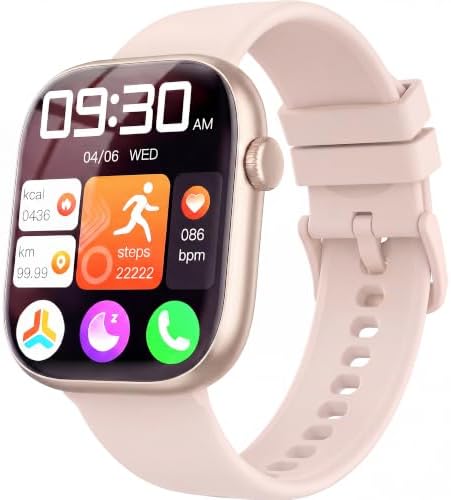
Budget pick: Smart Watch for Women Men, Fitness and Sleep Trackers with 1.83" HD Touchscreen, Bluetooth Calling Smartwatch for Android/iOS, IP67 Waterproof Multi-Sport Modes Pedometer, Jet Black
 Visit on Amazon →
This is the one I would hand to someone who wants a fitness and sleep tracker first and a smartwatch second. The pitch is straightforward: a 1.83 inch HD touchscreen, Bluetooth calling, multi sport modes, and a pedometer, in a case that works on either a male or female wrist. The sleep tracking is the headline feature, and the multi sport mode list is broad enough that most people will find their activity without hunting.
The setup that matters most here is the sleep side. Sleep staging on a wrist sensor is an educated guess built from movement and heart rate, so the watch needs a stable position on the arm all night. That means a snug strap and a consistent sleep schedule in the app. If you set it up that way and use it as a trend line rather than a diagnosis, the sleep data is genuinely useful over weeks. If you treat one night's "deep sleep" number as a fact, you will drive yourself crazy.
Flaws but not dealbreakers: IP67 is splash and sweat resistance, not swim proof. Do not take it in the pool or into a hot shower. The touchscreen is responsive but not bright enough to fight direct sun at noon, so expect to shade it with your body on bright runs.
Anyone who wants sleep tracking and call notifications on a wrist without paying athletic brand prices will be happy with this one.
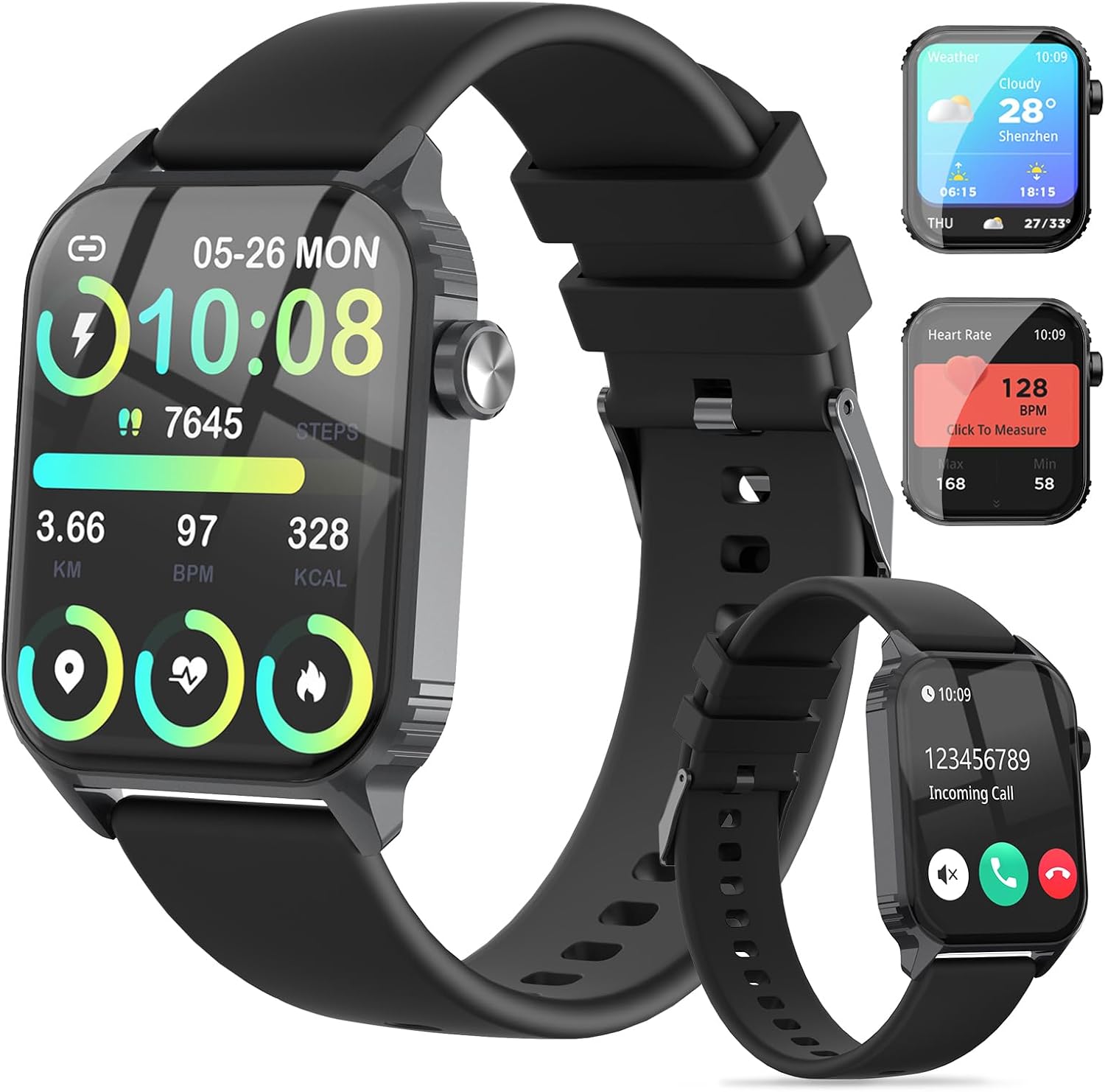
Runner-up: Smart Watch for Men, 120 Sports Modes Smartwatch with 1.83" HD, Alexa Built-in, Heart Rate/Sleep Monitor, IP67 Waterproof, Bluetooth Call & Music Control Fitness Watch for iPhone/Android (Black)
 Visit on Amazon →
The reason to step up to this one is the 120 sport modes and the built in Alexa. If you lift, row, ski, or play a racket sport, having a specific mode for it matters more than people think, because the mode is what tells the watch which sensors and which algorithms to run. A generic "workout" mode on a lifting session produces nonsense. A dedicated mode produces less nonsense.
Alexa on the wrist is a real convenience if you already live in that ecosystem, and music control plus Bluetooth calling round out the "leave the phone in your pocket" pitch. The heart rate and sleep monitor side is the same class of hardware as the watch above, which means the same setup rules apply and the same accuracy caveats apply.
Flaws but not dealbreakers: More modes means more menu to scroll. Set up your three or four favorites in the app so you are not swiping through a hundred entries with sweaty hands. The Alexa integration needs the companion app open and linked, and it will not work without a phone connection nearby.
Anyone who wants a broad sport mode list and voice assistant access should start here.
The setup workflow
This works on either watch and on most watches in this price band. Do it once, then leave it alone.
Step one: Charge fully, then pair through the app. Do not pair through your phone's Bluetooth menu alone. Install the companion app first, create the profile, and let the app do the pairing. On iPhone and Android you will be asked to grant notification access, and if you skip that step, calls and messages will never reach the watch. That is the number one reason people think Bluetooth calling is broken.
Step two: Fill in your profile honestly. Height, weight, age, and sex all feed the calorie and heart rate math. If the app offers a stride length field, measure it rather than guessing: walk ten steps at your normal pace, measure the distance, divide by ten. A watch without its own GPS calculates distance from step count times stride, so an inflated stride inflates every run you log.
Step three: Get the strap right. Wear it on your non dominant wrist. The sensor sits about two fingers above the wrist bone, not on the bone itself. Snug enough that the watch does not shift when you push it toward your hand, loose enough that it does not leave a mark after an hour. If a finger slides easily under the band, it is too loose and the optical sensor will read motion instead of blood flow.
Step four: Turn on continuous heart rate and kill battery saver. This is the single biggest accuracy gain in the entire guide. In the heart rate settings, set the measurement interval to the shortest option available, and disable any power saving or battery saver mode, especially during workouts. A watch that samples your pulse every ten minutes is not tracking a workout. It is tracking a rumor.
Step five: Pick the specific sport mode, not "other." The mode determines which sensors run and which algorithm interprets them. For running, enable auto pause if you stop at lights. For cycling, leave auto pause off if you care about elapsed time rather than moving time. Take thirty seconds to scroll the mode list once and favorite the ones you actually use.
Step six: Trim your notifications. Every buzz costs battery and every unnecessary alert trains you to ignore the watch. Keep calls and messages. Kill the rest. This is also the setting that decides whether you get two days or five out of a charge, and no spec sheet will tell you that.
Step seven: Set up sleep tracking properly. Wear it overnight, snug, on the non dominant wrist, and set a sleep schedule in the app so it knows when to expect you to be down. Charge it in the morning while you shower instead of overnight. A watch on the charger cannot track your sleep, and a lot of people blame the watch for that.
Step eight: Respect the water rating. IP67 means sweat, rain, splashes, and handwashing. It does not mean swimming, and it definitely does not mean a hot shower, because steam defeats seals that water alone will not. If you swim, this class of watch is the wrong purchase.
Step nine: Test the microphone and the assistant. Make a call from the watch while the phone is in another room and see how far the Bluetooth reaches in your house. For the Alexa model, enable the skill in the app and link your account, then test one command. Better to find out at your kitchen table than mid run.
Step ten: Run a one week battery audit at real use. Notifications on, continuous heart rate on, screen brightness at a level you can read outdoors. Note the battery percentage at the end of each day. That number is the truth about your watch. The "light use" figure on the box is a laboratory condition that nobody lives in.
How to sanity check the numbers
Setup gets you the best available data. Sanity checks tell you which data to believe.
For heart rate, sit still and take your pulse manually at your wrist or neck for fifteen seconds, then multiply by four. Compare it to the watch. If they are within a few beats at rest, the sensor is doing its job. Then watch what happens during intervals: an optical wrist sensor lags a chest strap by several seconds when your heart rate is changing fast, so a number that looks wrong during a hard effort may just be late. Tighten the strap and move it slightly up the forearm, and expect the lag to shrink but not disappear.
For distance, use a route you know. A high school track is four laps to the mile, and that is a free certified course. If your watch has no GPS of its own and estimates distance from steps and stride, expect a drift of several percent, and expect it to get worse on trails and stairs. Judge pace by effort and heart rate trend rather than by the watch's pace number.
For steps, count one hundred steps manually and compare. For sleep, compare the watch's report to how you actually feel over a week rather than a single night.
The most useful number an entry level watch produces is your resting heart rate trend over a month. It is a slow moving signal, it is hard to fake, and it will tell you when you are overtrained or getting sick before you feel it.
The competition and why it lost
If your priority is GPS accuracy on trails and a battery that lasts a week of long runs, this class of watch is not the answer, and I will say that plainly. Garmin's Forerunner line is the gold standard for runners for exactly that reason. COROS is the value play for endurance athletes who care about battery life above everything else. Apple Watch is the best all rounder if you want health features and do not mind charging nightly. Samsung's Galaxy Watch is the natural pick for Android users who want a fuller smartwatch experience, with the caveat that fitness accuracy trails Garmin.
None of those belong in a guide about entry level watches, because they are solving a different problem. Cheap fitness bands belong here even less. A band without a screen and without a real heart rate sensor is a step counter with a guess attached, and no amount of setup will fix that.
The two watches above are for the person who wants notifications, sleep tracking, a step baseline, and a heart rate trend without spending athletic brand money. That is a legitimate set of priorities. It is just not the same set of priorities as a marathon build.
What this actually costs
The setup costs nothing but twenty minutes and some patience with a settings menu. The watches themselves are entry level, and you can see what they run right now on the product pages rather than taking my word for it.
The real cost is expectations. You are not buying chest strap accuracy or certified course GPS. You are buying a device that, configured correctly, gives you a reliable resting heart rate trend, a reasonable step count, useful sleep patterns, and call and message notifications on your wrist. Set up badly, the same watch gives you random numbers and a battery that dies by dinner.
Configure it once, check it against a manual pulse and a track you know, and then stop fiddling. The watch is a tool. The setup is what makes it one.