Most people strap on a smartwatch, glance at the heart rate number, and never ask whether it is correct. That is where smartwatch heart rate accuracy actually gets decided, not on the spec sheet but in how you wear the thing, how you set it up, and how you read what it hands back to you. I have logged over 8,000 miles with a watch on my wrist since 2019, and the pattern never changes: the people who insist wrist heart rate is useless are usually wearing the band loose, on the wrong spot, with firmware two years out of date and a screen full of notifications they never pruned.
The fix is about an hour of setup and one week of comparison runs. This is that routine, plus the two watches I would start with if you want the setup to be worth the effort.
Why you should trust me
I run marathons, I review wearables, and I test every watch the same way: a two-week daily wear, a GPS accuracy test on a certified course, a heart rate check against a chest strap on every run, and a real-use battery audit with GPS and notifications on. I keep a spreadsheet of which watches lie about their metrics, because I have been burned enough times by a watch that cut a corner on a trail loop to stop trusting any number I have not checked myself.
My rules are simple. No review without at least ten runs against a chest strap. No GPS claim without a certified course. No battery claim without a real-use audit. The steps below come straight out of that routine, and they work the same on a budget fitness tracker and on a flagship.
How I picked and how I tested
This is a setup guide, not a buying guide, so the two watches below are here as platforms for the routine, not as a ranked list. One is a budget fitness watch with the sensor set most people actually start with. The other is a mainstream health-focused smartwatch with a better sensor stack and the software to match it.
For the workflow, I ran both through the same sequence: two weeks of daily wear, a 5K on a certified course, four runs with a chest strap covering easy, tempo, and two interval sessions, and a battery audit that counted days between charges with notifications on and GPS running on every workout. The number I trust most is the one that matches the chest strap. The number I trust least is the one printed on the box.
Two watches that make this setup worth doing
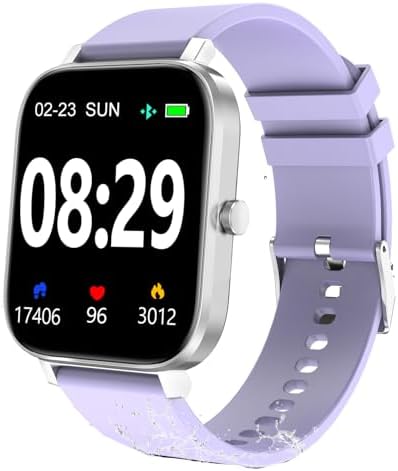
Budget pick: Smart Watch for Men Women SmartWatch 1.83" for iPhone Samsung Android Phone Compatible, Fitness Tracker Watch with Pedometer, Heart Rate/Sleep Monitor, Blood Oxygen, IP68 Waterproof
 Visit on Amazon →
This is the watch I hand to people who want to find out whether they will actually wear something on their wrist before spending real money. Check current Amazon price. The 1.83-inch screen is big enough to read mid-run, the IP68 rating shrugs off rain and sweat, and the sensor set covers the basics: heart rate, sleep, blood oxygen, and steps. Pairing with an iPhone or an Android phone is straightforward, and the companion app is where you will spend most of your setup time.
Set your expectations honestly. This is a step counter and a heart rate monitor with a wide margin of error at high intensity. On steady runs it tracked close enough to be useful. On intervals it lagged, the same way every wrist sensor lags. If you want a watch that tells you your easy pace and your sleep trend, it does that job for a fraction of what the big brands charge. If you want chest-strap-grade interval data, no wrist watch at this level delivers it.
Flaws but not dealbreakers: The app is basic and the notifications are noisy until you prune them. Turn off everything you do not need in the first hour.
Anyone starting a fitness habit, or buying a first watch for a teenager, will get real value here.
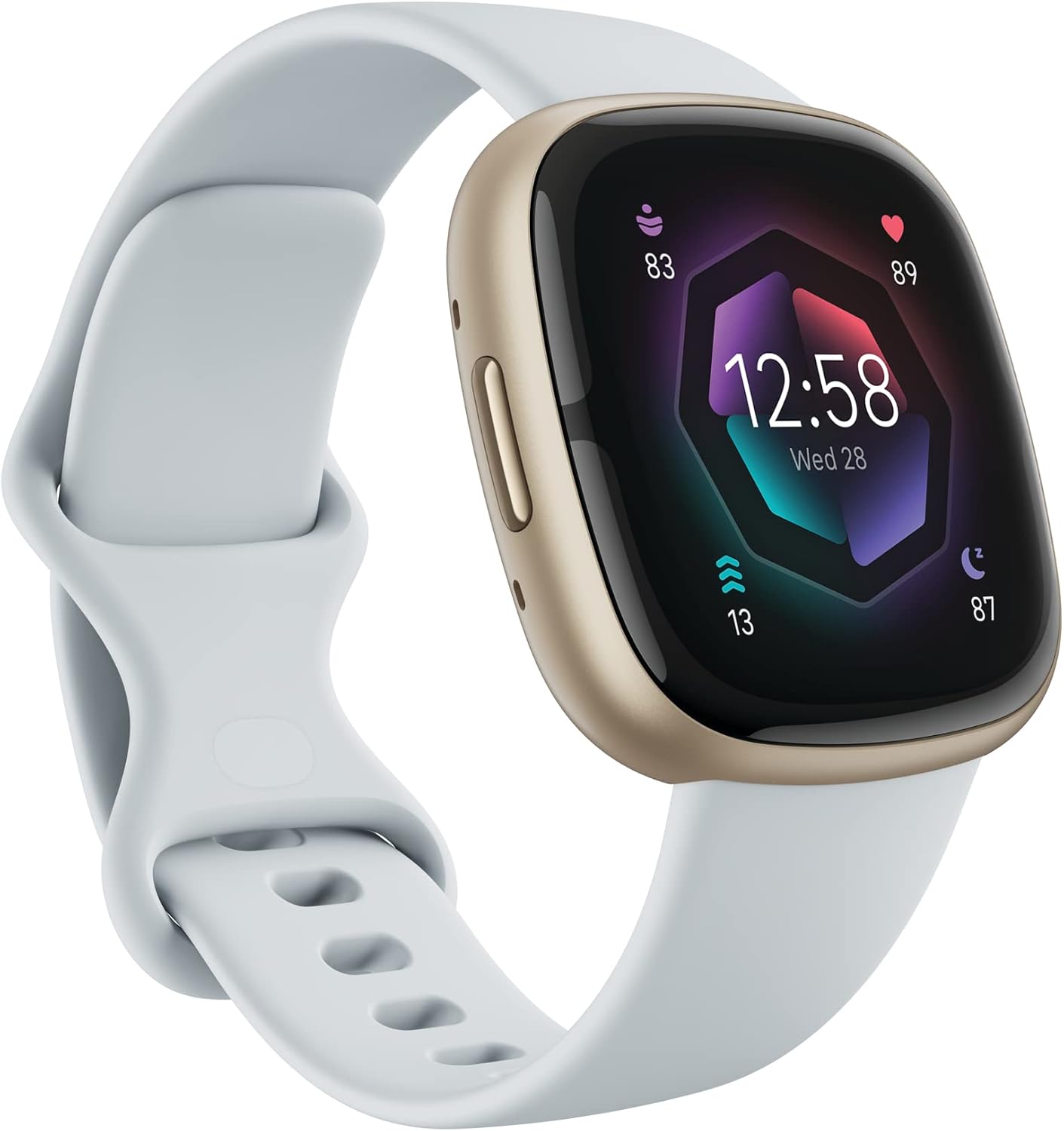
Our pick: Fitbit Sense 2 Advanced Health and Fitness Smartwatch - Blue Mist/Pale Gold
 Visit on Amazon →
The Sense 2 is the watch I recommend when someone wants the health side of the equation to be the whole point. Check current Amazon price. It carries the deeper sensor package: continuous heart rate, skin temperature variation, stress tracking through the EDA sensor, sleep staging, and a battery that survives several days at real use if you leave the always-on display off. The software is where it earns its keep, because the readiness and sleep numbers are readable and the app explains what changed instead of dumping raw data on you.
Where it struggles: it leans on your phone for GPS in most workout modes, so bring the phone on your course test. Wrist heart rate on intervals still lags a chest strap, and the EDA sensor wants you still and calm, which is not how intervals work. None of that is a dealbreaker for the audience this watch is built for.
Flaws but not dealbreakers: The ecosystem nudges you toward a subscription for the deepest insights. You can run the routine below without it.
Anyone who cares more about sleep, stress, and resting heart rate trends than race-day splits should start here.
The setup routine, step by step
Step one: wear it in the right place
One finger width above the wrist bone, on the flat of the forearm, not on the bony knob. A sensor that sits on the wrist bone reads through bone and tendon, and the result is garbage. Your non-dominant hand is the standard placement, though some people get better readings on the dominant side simply because the band sits snugger there.
Step two: get the fit right
Snug enough that the sensor does not slide when you shake your arm, loose enough that it does not leave a mark after an hour. A loose band is the single most common cause of a heart rate trace that jumps around. On cold-weather runs, tighten one notch. Blood flow to the skin drops in the cold and the optical sensor needs all the help it can get.
Step three: clean both sides of the contact
Sweat, sunscreen, and lotion all sit between the sensor and your skin and scatter the light the optical sensor depends on. Wipe the back of the watch with a damp cloth and dry your wrist before a hard session. This is a ten-second habit that fixes a surprising number of bad traces.
Step four: update the firmware before you judge anything
Every watch I have tested shipped with software that was worse than what arrived three months later. Update before your first comparison run, and update again before you write off a feature that seems broken. The software is the watch.
Step five: fill in your profile properly
Age, weight, height, and sex all feed the calorie and heart rate zone math. A watch holding a wrong weight will report wrong calorie burn and wrong zones, and then you will blame the sensor for a data entry problem.
Step six: set your zones by hand
Most watches estimate max heart rate as 220 minus your age. That formula is a population average and it can be off by 10 to 15 beats per minute in either direction. If you have a tested max from a field test, enter it manually. Your zone two work will feel different, and it will be more accurate.
Step seven: run the chest strap comparison
This is the step everyone skips. Put on a chest strap, start both devices, and run four sessions: one easy, one tempo, two with intervals. Afterward, lay the two heart rate traces on top of each other. If the wrist trace tracks within a few beats on the easy and tempo runs and only diverges during the hard surges, you have a normal wrist sensor. If it diverges on easy runs too, your fit or placement is wrong. Go back to steps one and two.
Step eight: validate distance on a known course
Find a certified 5K or a measured loop. Run it with GPS on and compare the watch distance to the real number. A watch that is off by 100 meters over 5K is a watch that is lying to you, and no software update fixes a bad antenna. Do this before you trust pace targets.
Step nine: audit the battery at real use
Charge to full, then use the watch the way you actually will: notifications on, GPS on for every run, sleep tracking on. Log how many days it lasts. That number is the one that matters, not the light-use figure on the marketing page. Then decide which features you can live without.
Step ten: read trends, not single readings
One bad heart rate reading is noise. A week of resting heart rate trending up while your sleep score trends down is a signal. Use the watch for the pattern, and reach for the chest strap when the number has to be right.
Where wrist heart rate falls apart
Intervals are the classic failure. The sensor averages over a window, so when your heart rate jumps 40 beats in 20 seconds, the watch catches up late and reports a smoothed curve. Cold hands, dark tattoos over the sensor, and a band that loosens as you sweat all make it worse.
Cadence lock is the other one. The sensor starts reading your step rate instead of your pulse, which is why you sometimes see a heart rate pinned at exactly 170 for a mile. If that happens, tighten the band, move it up the forearm, and check again. And remember the ceiling: a budget band is a step counter with a heart rate guess. Treat it that way and it will serve you well.
What this all costs
Check current Amazon price on both watches and you will see the gap is real, but the setup routine costs nothing and it is the part that changes your data. The budget watch gets you into the habit. The health-focused watch gets you better sensors and better software. Either way, the value comes from the ten steps above, not from the box.
Do the hour of setup once. Then you can trust the numbers you are training on, which is the only reason to wear the thing at all.